Semantic comparison
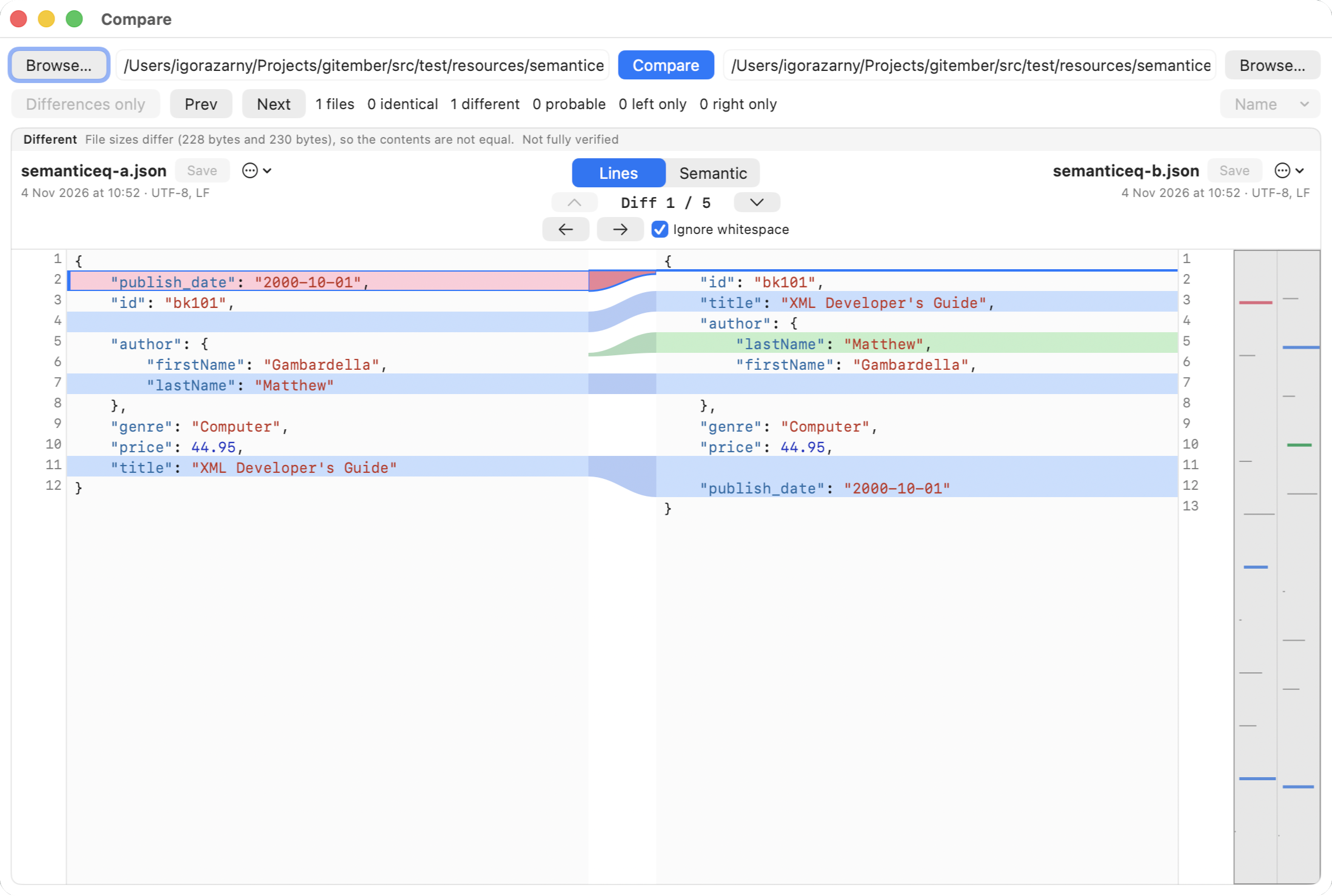
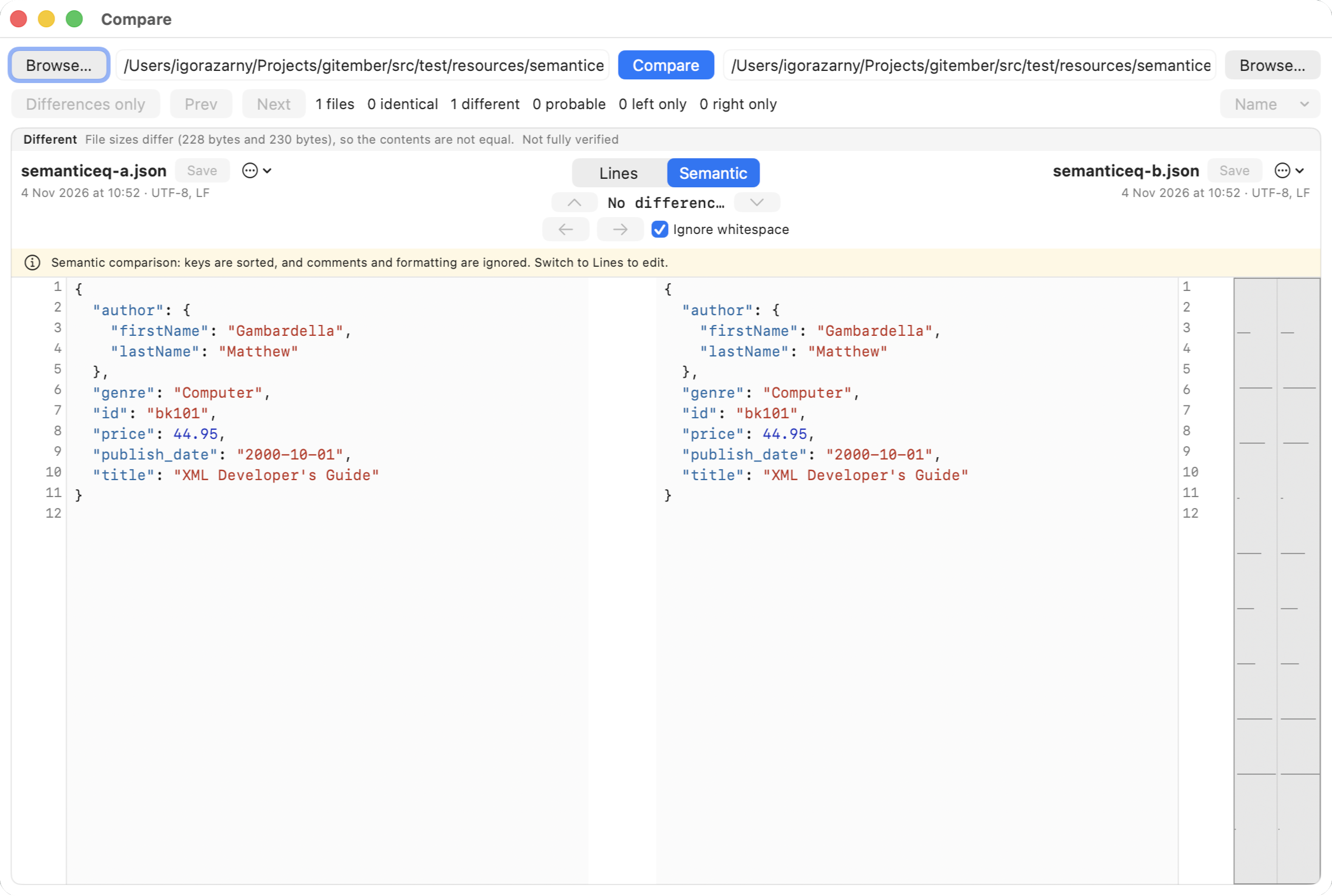
Two JSON files can say the same thing with keys in a different order, extra spaces, or comments in YAML. Semantic mode parses both sides, writes them in one fixed form, and diffs that. You see the change that matters, not the noise.
Semantic comparison helps developers and DevOps engineers identify meaningful changes in configuration files without being distracted by formatting differences, key ordering, or comments. Instead of comparing raw text, DiffMan parses and canonicalises structured data such as JSON, XML, YAML, TOML, and INI before comparing it. This makes configuration reviews, deployment checks, and troubleshooting much easier by highlighting only changes that actually affect the data.
Local only. JSON, XML and the rest are parsed on you computer. Nothing is posted to a web API. You can compare configs with the network off. Why that matters
Formats
The switch appears when the file name’s last extension is one of these (case does not matter):
| Format | Extensions | What canonicalisation does |
|---|---|---|
| JSON | json | Object keys sorted. Arrays keep order. Spacing normalised. |
| YAML | yaml, yml | Keys sorted, comments dropped, spacing normalised. Tags, complex keys and multi-line quoted scalars are not supported. |
| TOML | toml | Keys sorted, comments dropped. |
| XML | xml, xsd, xsl, xslt, fxml, wsdl, svg, plist, xib, storyboard | Attributes sorted. Child elements sorted by tag name. Comments dropped. Array order is kept. |
| INI | ini | Sections and keys in a stable order, comments dropped, spacing normalised. |
| Properties | properties | Keys sorted, comments dropped, continuation lines folded. |
There is no SQL compare, and no other structured formats in this version.
How to read the result
- The canonical text is what is shown and diffed. It is read-only while Semantic is on. Switch back to Lines to edit the original file.
- Array order is kept.
[1,2]is not the same as[2,1]. - A YAML number
1is not the same as the string"1". Quoted'true'is not the booleantrue. - If either file does not parse, DiffMan stays on (or returns to) lines and says which side is invalid, with a line number when it has one.
A small example
These two JSON objects are the same in Semantic mode, because keys are sorted and spacing is ignored:
{ "b": 1, "a": [1, 2] }

{
  "a": [1, 2],
  "b": 1
}
These two are different, because the array changed:
{ "a": [1, 2] }
{ "a": [2, 1] }
When to stay on Lines
Use Lines when you care about comments, original key order, or exact bytes. Use Semantic when you care whether two configs mean the same thing. The two modes share the rest of the text window: minimap, next difference, ignore whitespace on the line diff of whatever text is shown.
Semantic comparison stays available after the three-month introduction. It is not part of the paid Markup/Pages licence.