Document comparison
Word, OpenDocument text, RTF and PDF sit in one viewer with three modes: Text, Markup, and Pages. Formats are recognized by content, not by the file name, so a Word file against a PDF is a normal pair. The documents are read-only. Extraction never writes next to the original file.
Local only. Contracts and PDFs are not sent to a server to be compared. Markup and page drawing happen on this Mac. That is why this app is usable on confidential files. Why that matters
The first three months include all three modes. After that, Text stays available. Markup (the Word-style combined page) and Pages (side by side) need a licence at $15 a year.
What files are accepted
| Kind | How it is recognized |
|---|---|
| PDF header | |
Word (.docx) | ZIP with word/document.xml |
OpenDocument text (.odt) | ZIP whose mimetype is OpenDocument text |
| RTF | Starts with {\rtf |
A document next to a plain text file, a spreadsheet, or a presentation is not this viewer; you get metadata instead. Password-protected PDFs are reported as protected, never shown as empty. Tracked changes in Word are shown as if all were accepted, and the window says so.
Pages (side by side)
This is not the image-file viewer. Each side is a real page view. Native PDFs are shown with PDFKit. Word, RTF and OpenDocument are printed in memory first, then shown the same way. Pair 1 on the left lines up with pair 1 on the right, even if a page was inserted in the middle: pages are aligned with the same Myers pass as the text view.
Changed words are marked on the original drawings. Deleted words are struck through on the left page. Inserted words are underlined on the right. Unchanged words are left alone. A whole line is highlighted only when the two sides share no word. Scans with no text layer still go through the pixel comparer and outline changed areas.
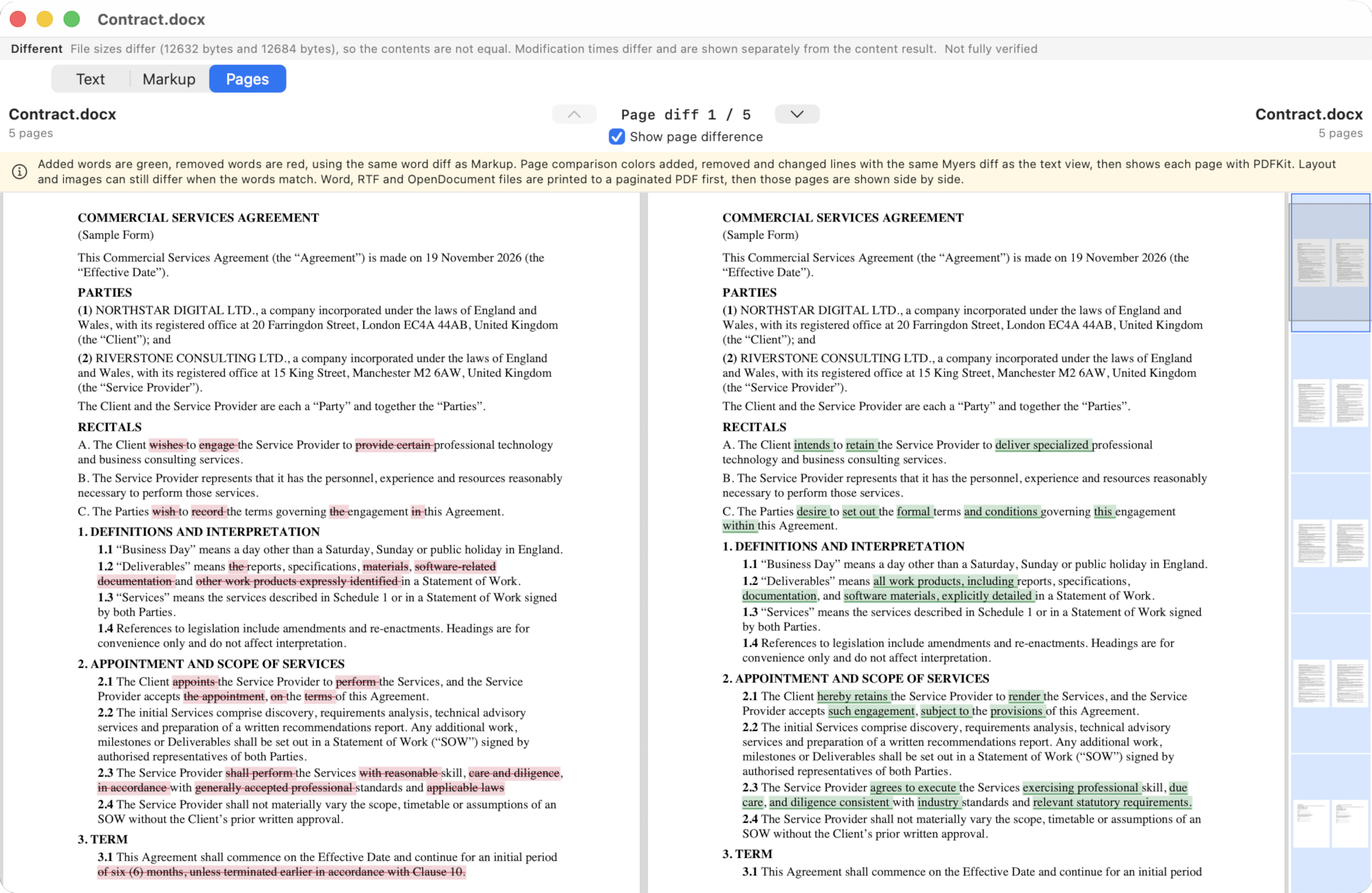
Screenshot to add
Scan with no text layer
Two scanned pages, Show page difference on, orange outlines on pixel regions rather than word strikes. Caption: DiffMan does not OCR; a scan is compared as a drawing.
Markup (Word-style)
One combined document, not two columns. Unchanged words stay. Deleted words stay in the flow, in red, with a strikethrough, using the original document’s font. Inserted words are green and underlined, using the final document’s font, size, bold, italic and underline. A replace of several visual lines is treated as one phrase, so a wrapped sentence still reads in order.
The page is US Letter with one-inch margins. Wrapping uses font metrics, not a character count. Zoom scales the page; it does not reflow the type. A scroller on the right shows page thumbnails. Plain text and PDF fall back to Times 11 pt when no run style is available.
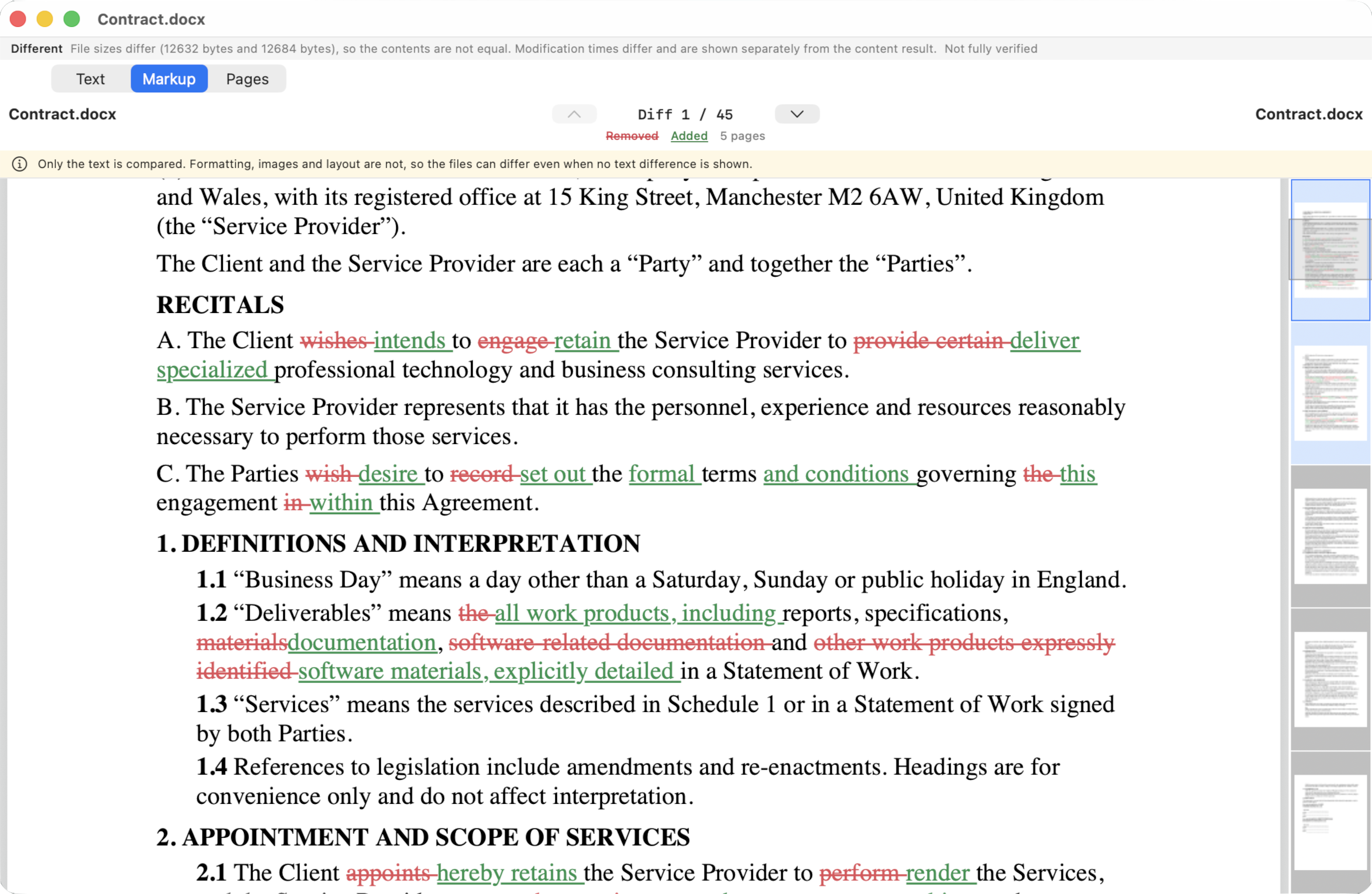
Examples the markup follows
- Here some sentence against Here few words keeps “Here”, strikes “some sentence”, underlines “few words”.
- A shared ending such as “the flower” stays unmarked when only the start of the sentence changed.
- A deleted sentence between two that stayed put is struck through; the neighbours stay normal.
- “United Kingdom” replaced by “England” marks those phrases only.
Text
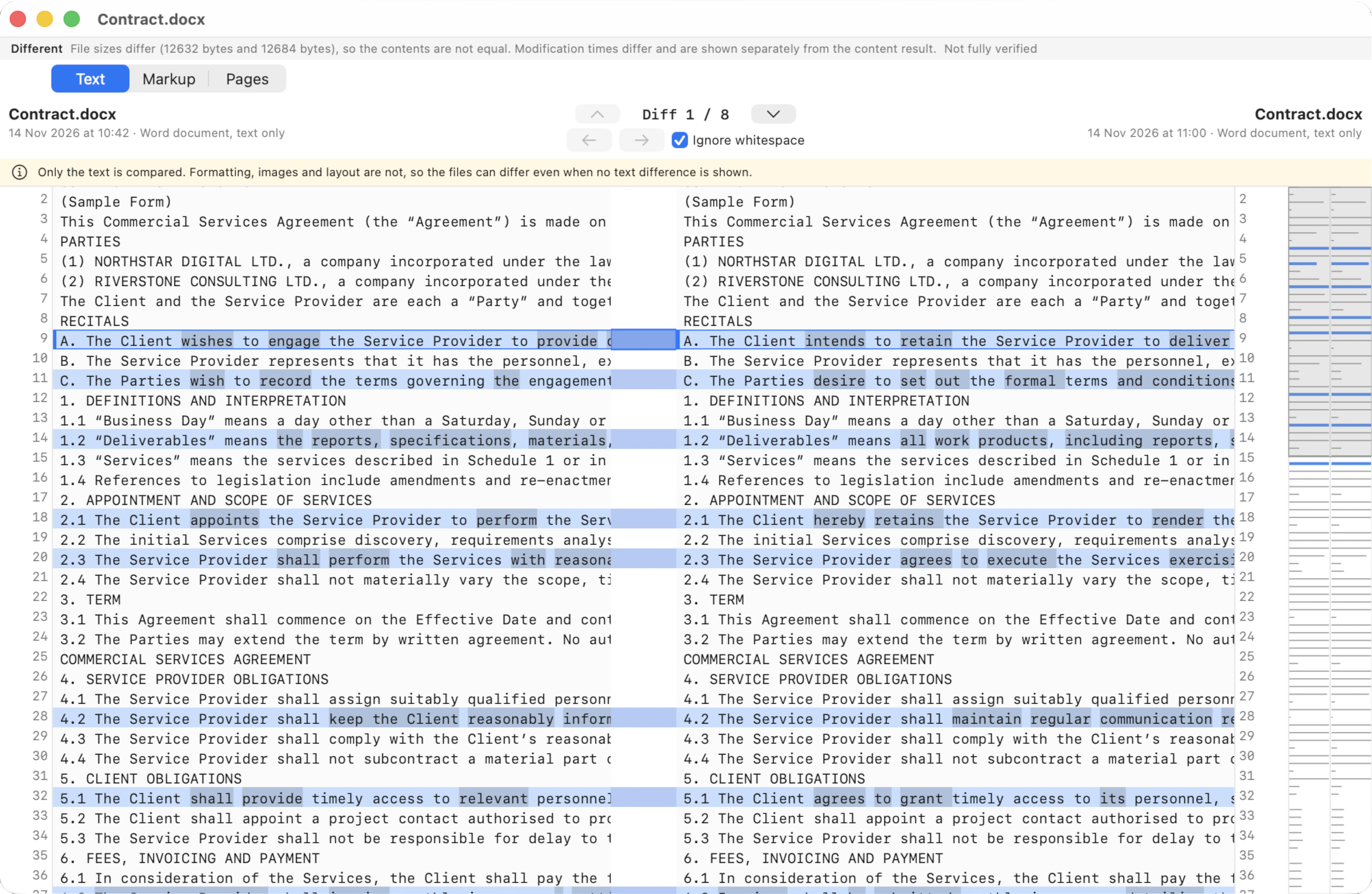
The words are extracted and shown in the same side-by-side layout as plain text, read-only: line diff, word marks, minimap, previous and next difference. Word and OpenDocument paragraphs become lines. Word headers, footers, footnotes, endnotes and comments, and OpenDocument headers and footers, follow the body in labelled sections. A PDF becomes the lines PDFKit finds on each page, with a marker between pages.
Only the extracted text is compared here. Formatting, fonts, images, tables as tables, layout and embedded objects are not. Two files can differ byte for byte with no text difference; the banner says that. A PDF with no text layer (a scan) has nothing to extract. DiffMan does not do OCR. A PDF that reflows a paragraph differently shows as changed.
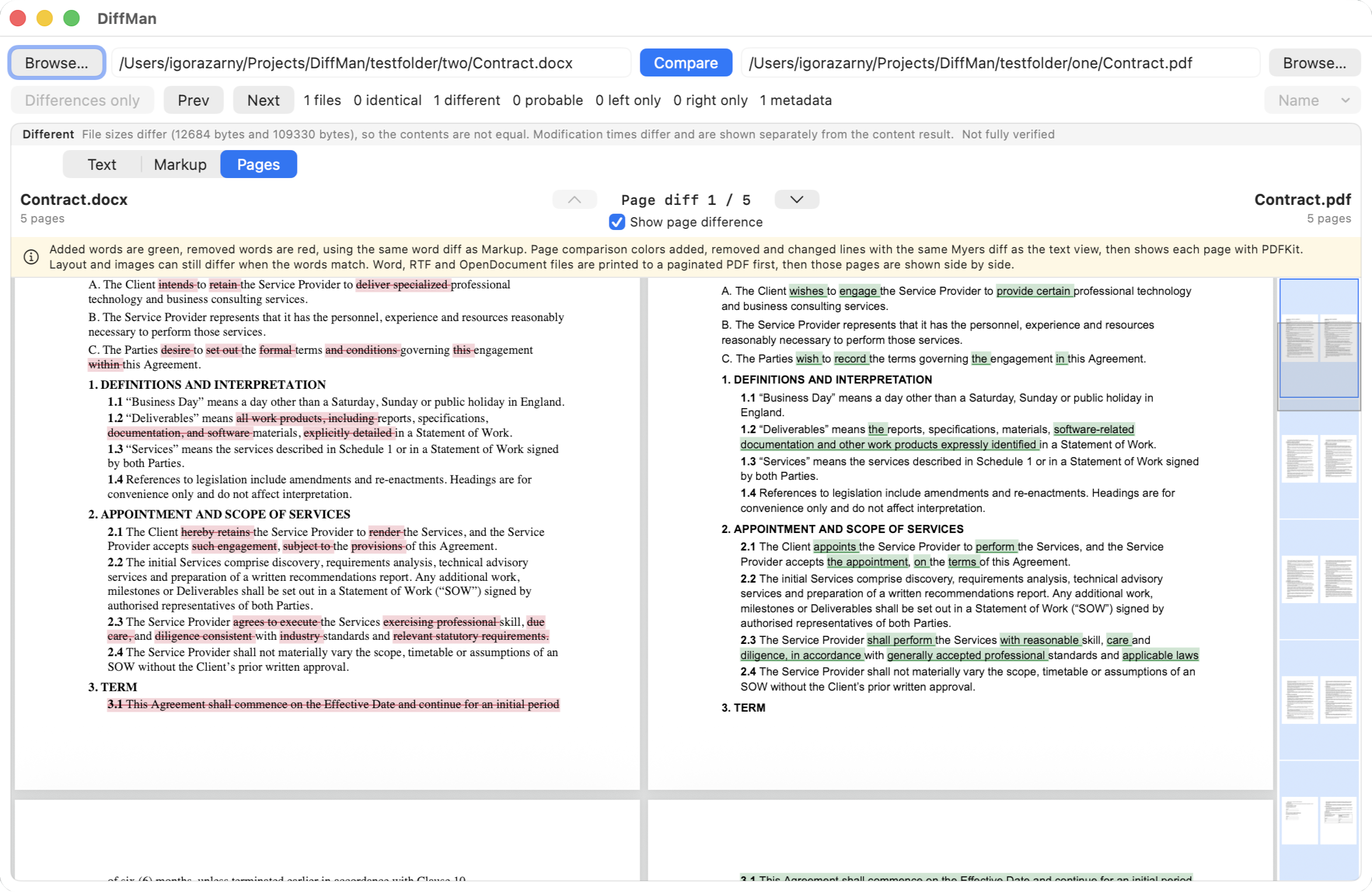
Different document types
DiffMan allows you to compare documents even when they use different file formats. You can compare DOCX against PDF, PDF against RTF, or RTF against ODT, without converting files manually. This makes it easy to identify content differences between documents regardless of the format in which they were created or shared.
What this viewer does not do
- No editing of Word, ODT, RTF or PDF.
- No OCR.
- No accept/reject, no move detection, no comment comparison, no table-cell structure beyond what the text extract already contains.
- The printed PDF used for Word/ODT/RTF is never written next to the original file.